Drum Pads - Beat Maker Go
GismartMusic & Audio
3.07.64K Reviews
- Version
- 2.42
- Installs
- 50.00M
- Age Rating
- Everyone
Screenshots
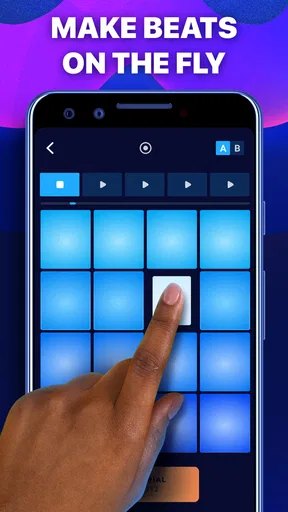
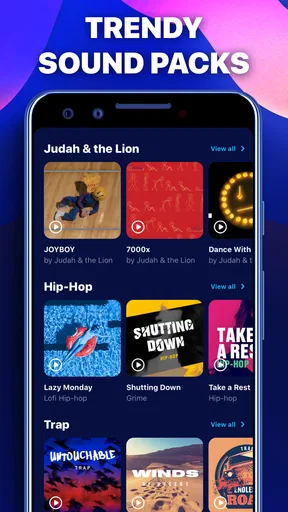
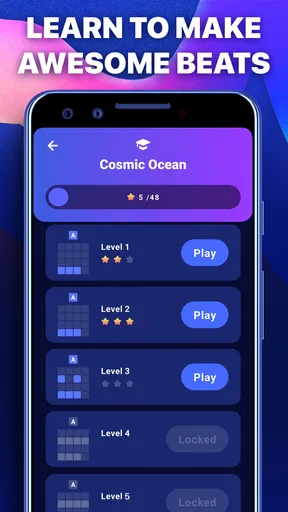
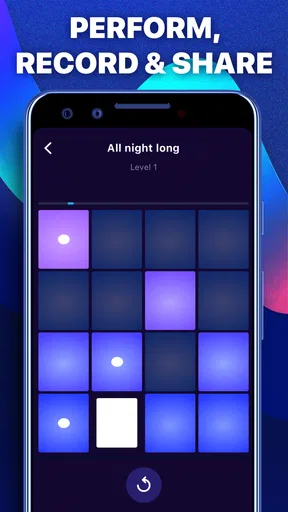
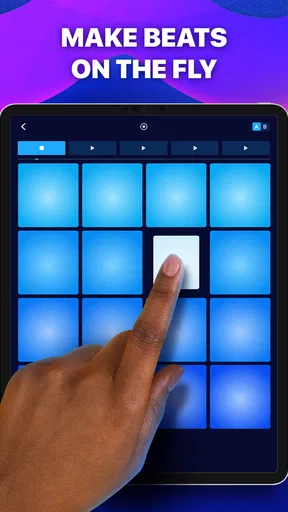
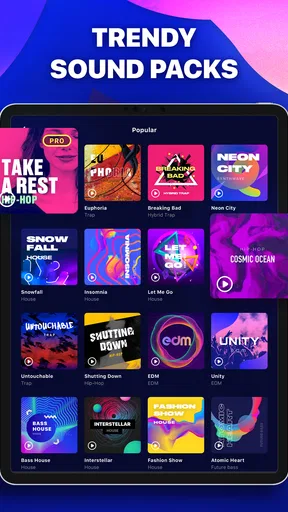
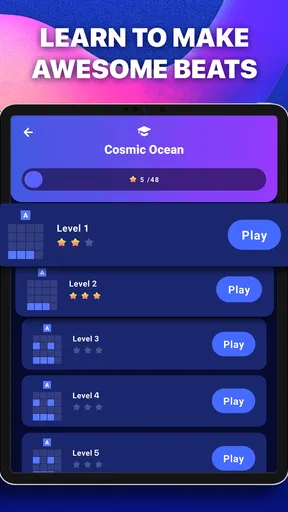
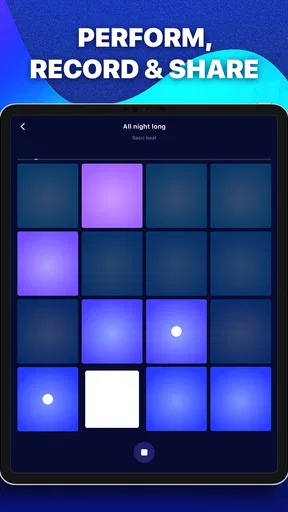
Our Review of Drum Pads - Beat Maker Go
 Analysis by Appyee
When I have a spare few minutes and want to make something more musical than another playlist, I reach for Drum Pads - Beat Maker Go. It turns a phone screen into a set of tappable drum pads, so I can try out rhythms without needing an instrument or a formal production setup. Gismart’s free music-making app is easy to approach, though its modest 3.1 average from around 229,000 ratings suggests that it does not land equally well for everyone.
How quickly you can get to a beat
The first appeal is how little preparation the basic idea requires: open a pad layout, tap, and listen. The short tutorial is useful if you have never made a beat, and it avoids assuming you already understand production terms. I would not mistake that quick start for a complete introduction to music-making, though. It gets you moving; learning to make a rhythm feel intentional still takes experimentation.
That low barrier makes the app handy for a small creative break. I might tap out a pattern while waiting for a friend, then try a different rhythm instead of scrolling through my phone. A metronome can help me keep a steadier pulse, while looping gives a promising phrase a chance to repeat so I can judge whether it works. Those tools make casual play more purposeful without turning a short session into a lesson.
What happens when you play for longer
The fun changes once I start layering ideas in my head: a beat that sounded lively on its own can become cluttered when I keep adding taps. My practical tip is to begin with a simple pulse, leave space between sounds, and use the loop to listen before adding more. That makes it easier to notice whether the rhythm has a shape or is just a string of enthusiastic hits.
Sound packs spanning styles such as hip hop and electronic dance music give me different starting points, but they also steer the character of a session. I would choose a pack for the mood I want before trying to build a full idea; switching styles halfway through can make a rhythm feel less coherent. This is a useful trade-off for a pad-based app: a ready-made palette speeds up experimentation, but it is not the same freedom as choosing and shaping every sound in a full production workstation.
The app includes recording, which is valuable when a phrase appears unexpectedly. I would save a take once I have a pattern I like rather than trust myself to recreate it later. Treating a recording as a sketch is sensible: it captures an idea to revisit, while the app’s quick-play format is better suited to trying things out than to replacing a broader arrangement and editing workflow.
Reliability, rhythm, and the limits of a phone screen
For performance, responsive pads matter more than a long feature list. In my experience, the central interaction is straightforward: tap a pad and hear its sound, with the touch screen doing the work of a small instrument. Still, phone size affects how comfortably I can play. On a compact screen, quick combinations may feel cramped, and fingers can cover neighboring pads; slowing down and using deliberate taps is more dependable than trying to perform a dense pattern at speed.
That is also why I would separate casual beat-making from a polished live performance. A touchscreen is convenient and portable, but it does not give the tactile spacing of dedicated drum hardware. If precise, repeated timing is central to your goal, a physical controller or a more specialized music-production app is a better fit. For testing a rhythm on the go, the phone format is the point rather than a compromise I need to overcome.
Beat-making sessions can become demanding when I keep several sounds active and repeatedly record or replay a pattern. I would keep expectations sensible: the app is designed for hands-on musical play, not as a guarantee of studio-level performance on every device. Closing other demanding apps before a longer session is a practical way to reduce distractions, and saving a take when it is worth keeping makes recovery from an interrupted session less stressful.
Who will get the most from it
I see this as a good fit for curious beginners, rhythm fans, and anyone who wants a quick creative outlet without learning a full digital audio workstation first. It can also help a more experienced musician test a rhythmic idea before developing it elsewhere. The app has passed 50 million installs, which shows broad reach, but that popularity does not mean its simple pad-first approach will suit every person who wants to make music.
Someone looking for detailed sound design, a long-form song arrangement, or precise control over every part of a production should compare it with a conventional mobile workstation. Those alternatives take longer to learn, but they are better when the goal is to build and revise a complete track. By contrast, this app makes more sense when the question is, “Can I find a rhythm I like right now?” rather than, “Can I finish a release-ready song here?”
The community and collaboration claims need a little practical judgment. Sharing or connecting can be appealing if you want other people to hear what you make, but I would choose the app for its pad-based playing first, not rely on a social feature as the main reason to install it. A good workflow is to make a short idea privately, decide whether it is worth keeping, and then share it only if that suits you.
Getting Started
First things first, downloading Beat Maker Go is a breeze. Available on both Android and iOS, the app doesn't take up much space, so you won't have to worry about clearing out precious photos just to make room. Once installed, you're greeted with a slick interface that screams "let's make some music!"
The app doesn't throw you into the deep end. Instead, it eases you in with a quick tutorial that even the greenest of beginners can follow. This is perfect for those of us who might not know our BPM from our EQ. Before you know it, you're tapping away at drum pads like a pro.
Features Galore
Alright, let's talk features. The app boasts a wide array of sound packs that cover everything from hip hop to EDM, so you're sure to find something that tickles your fancy. And the best part? These sound packs are regularly updated, keeping your music fresh and exciting.
There's a metronome to keep your rhythm in check and a looping feature that lets you create complex compositions without breaking a sweat. The app even comes with a handy recording feature, so you can save your creations and share them with friends—or just keep them for yourself to jam out to later.
Playing Around with Sounds
One of my favorite things about Beat Maker Go is the experimentation aspect. Just tap on a pad and see what happens. The responsive touch controls make it feel like you're actually playing an instrument, and the sound quality is top-notch. No tinny noises here—just crisp, clear beats.
For those looking to step up their game, the app offers a subscription model that unlocks additional features. This includes access to exclusive sound packs and advanced editing tools that let you tweak every little detail of your beat. While the free version is plenty fun, the premium features are worth considering if you're serious about your music.
Why You'll Love It
What really sets Beat Maker Go apart is its community aspect. You can connect with other users, share your beats, and even collaborate on projects. It's like having a mini music studio in your pocket, complete with a network of fellow creators ready to inspire and be inspired.
Whether you're killing time on your commute or looking to dive deep into music production, this app offers something for everyone. It's intuitive enough for beginners yet robust enough for seasoned beat makers. Plus, there's something incredibly satisfying about creating a track from scratch and watching it come to life.
Cost, compatibility, and the final call
The app is free to download and is rated for Everyone, so it is easy to try without committing money upfront. Optional in-app purchases range from $0.99 to $69.99 per item, which is worth keeping in mind if you are tempted by paid extras. I would spend time with the basic experience before buying anything: the main question is whether the pad workflow itself feels enjoyable and useful to you.
On Android, the current version is 2.41.2 and the stated minimum operating system is Android 5.0. That gives older Android devices a possible route in, but minimum compatibility is not the same as a promise of equally smooth performance on every handset. If the interface feels tight or playback feels inconsistent on your phone, a larger, newer device—or a different production tool—may make more sense for serious sessions.
Gismart released the app on March 2, 2018, and it has accumulated around 7,600 written reviews alongside its much larger rating pool. I take the 3.1 average as a reason to approach it with realistic expectations, not as proof that it will be a bad fit. The most useful test is whether you enjoy tapping and shaping short patterns; if you do, the app offers a convenient place to play, while its limits become clearer when you want deeper control.
Wrapping Up
In conclusion, Drum Pads - Beat Maker Go is a must-have for any music enthusiast. It's accessible, fun, and packed with features that make beat-making an absolute joy. So if you're ready to tap, loop, and jam your way to musical greatness, give Beat Maker Go a try. Trust me, once you start, you won't want to stop.
Verdict
Strengths of Drum Pads - Beat Maker Go
- Intuitive interface for beginners
- Wide variety of sound packs
- Real-time beat recording
- Customizable pad layouts
- Syncs with external MIDI devices
Limitations of Drum Pads - Beat Maker Go
- Ads can be intrusive
- Limited free features
- Requires internet for updates
- Occasional lag on older devices
- No export to certain file formats
Other Releases by Gismart
View All
Piano - Music Keyboard & Tiles
Music4.1

Real Guitar - Music Band Game
Music3.1

VIP Guard
Arcade4.7

Piano - Play & Learn Music
Music4.2
Similar Picks in This Category
View All
YouTube Music
Google LLC4.4

Samsung Music
Samsung Electronics Co., Ltd.3.8

Spotify: Music and Podcasts
Spotify AB4.3

JioSaavn - Music & Podcasts
Saavn Media Limited4.3

Lark Player:Music Player & MP3
Lark Player Studio - Music, MP3 & Video Player4.6

StarMaker: Sing Karaoke Songs
SKYWORK AI PTE. LTD.4.3
Frequently Asked Questions
What features does Drum Pads - Beat Maker Go offer?
Drum Pads - Beat Maker Go offers a variety of features including a wide range of sound packs, an intuitive interface, and real-time audio recording. Users can customize beats, mix tracks, and apply effects to create unique music compositions. The app is designed for both beginners and advanced users, making it versatile for all skill levels.
Is Drum Pads - Beat Maker Go suitable for beginners?
Yes, Drum Pads - Beat Maker Go is designed to be user-friendly with an intuitive interface, making it ideal for beginners. The app provides tutorials and guided sessions that help new users understand the basics of beat making and sound mixing, ensuring a smooth learning curve.
Can I share my creations from Drum Pads - Beat Maker Go?
Absolutely! Drum Pads - Beat Maker Go allows users to easily share their music creations directly from the app. You can export your tracks in various formats and share them on social media platforms or with friends. This feature makes it convenient to showcase your musical talent.
Are there in-app purchases in Drum Pads - Beat Maker Go?
Yes, Drum Pads - Beat Maker Go includes in-app purchases. While the app offers free sound packs and features, there are additional premium sound kits and effects available for purchase. These enhance the user experience by providing a wider variety of sounds and customization options.
Does Drum Pads - Beat Maker Go require an internet connection?
Drum Pads - Beat Maker Go does not require a constant internet connection for basic functionality. However, an internet connection is needed to download new sound packs or access certain features that are updated online. This flexibility allows users to create music offline once the necessary resources are downloaded.
